
Unlock Finanicial Insights with Calculom
Calculom Is.
Enterprise financial reporting and enterprise Budget Management — from any ERP, inside any spreadsheet.
Transform your data into actionable insights with Calculom, seamlessly integrating with any ERP for unparalleled financial clarity.
Live ERP data — right inside your spreadsheet
Calculom connects directly to your ERP and delivers live financial data into Excel or Google Sheets — so your team can build reports, run analysis, and close the books faster without ever leaving the tools they already know. No exports, no manual uploads, no waiting on IT.
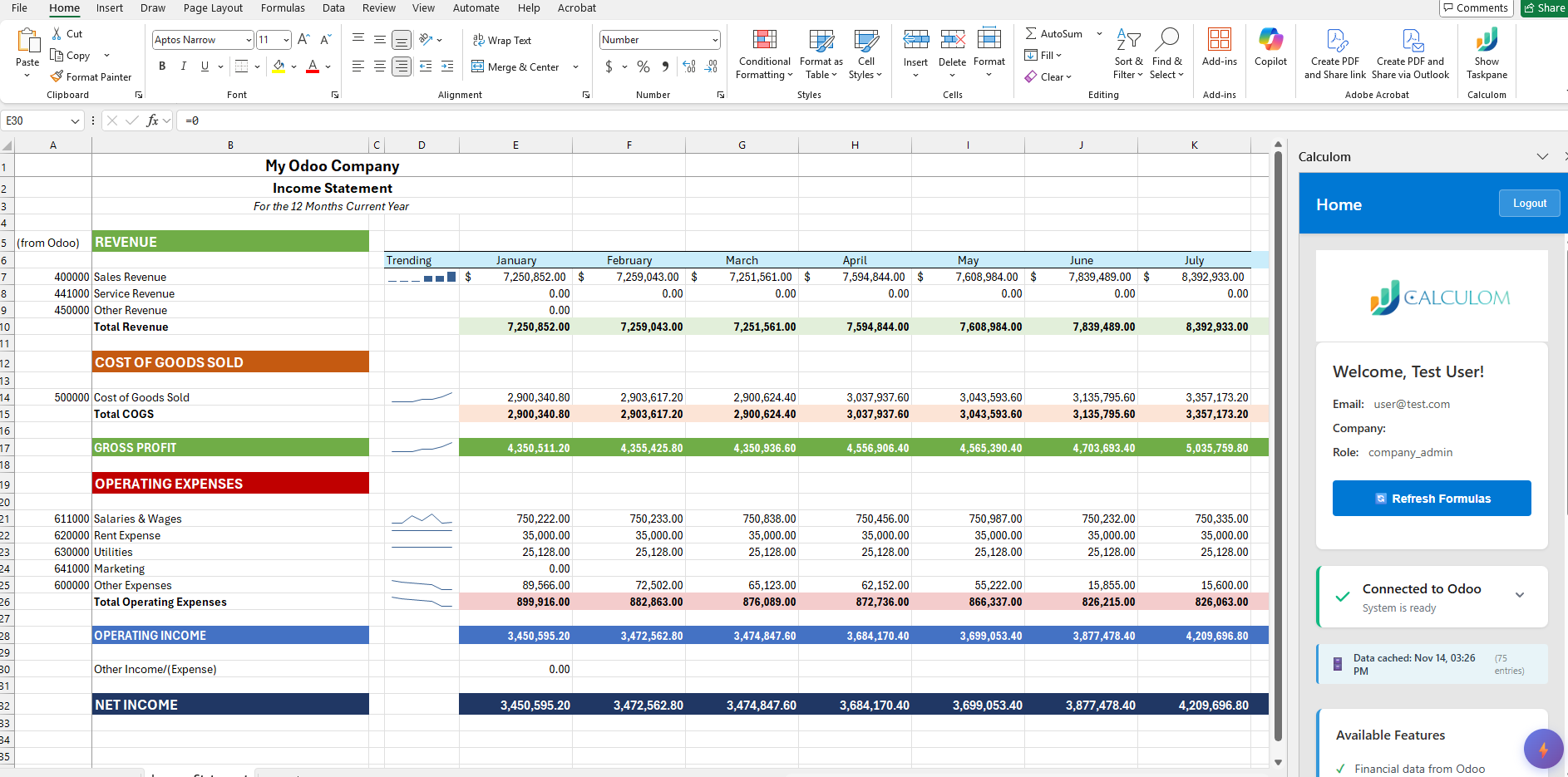
Build reports in the tools you know
Pull live financial data directly into Excel or Google Sheets. Use familiar formulas, pivot tables, and layouts — powered by real-time ERP data instead of stale exports.
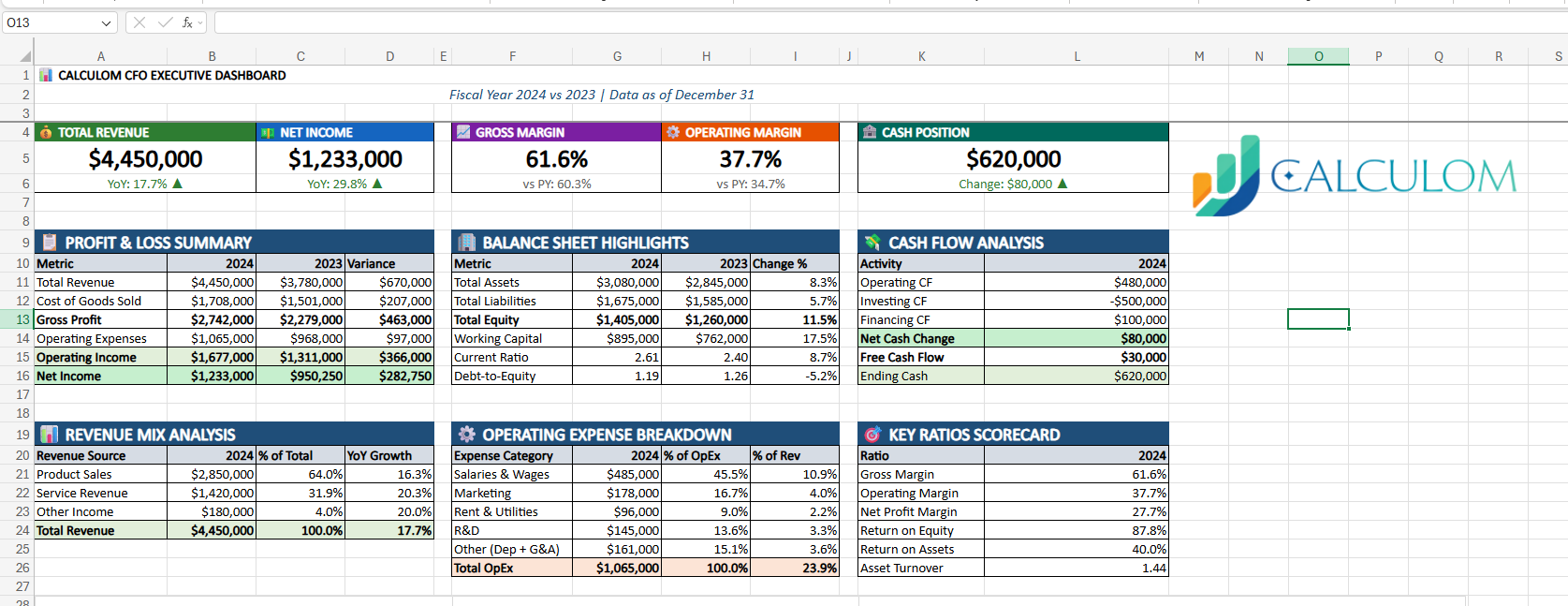
One platform, any ERP
Connect to multiple ERP systems from a single interface. Consolidate data across entities and systems without building custom integrations or waiting on vendor timelines.
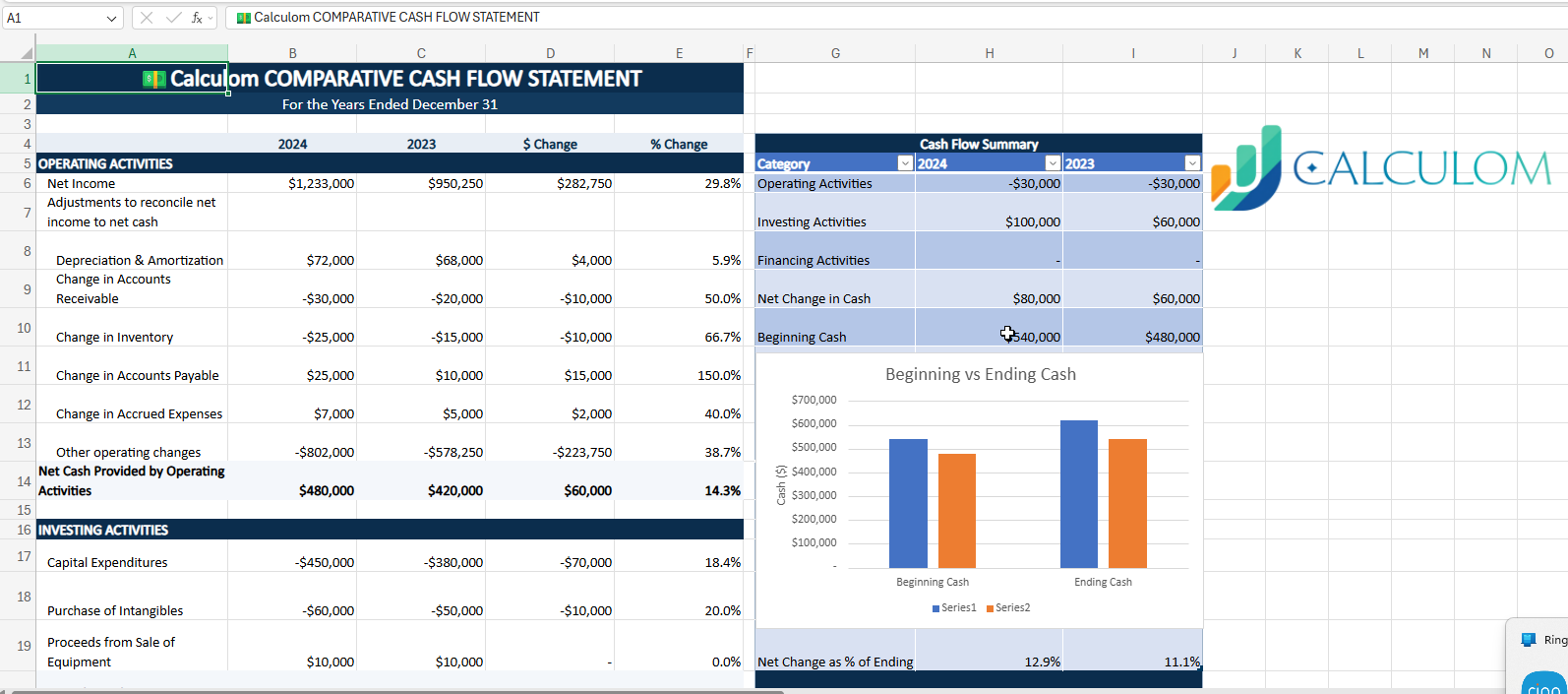
AI that understands your financials
Ask questions in plain language and get instant answers grounded in your live data. Spot trends, surface anomalies, and accelerate analysis — with your own AI API key, so your data never leaves your control.
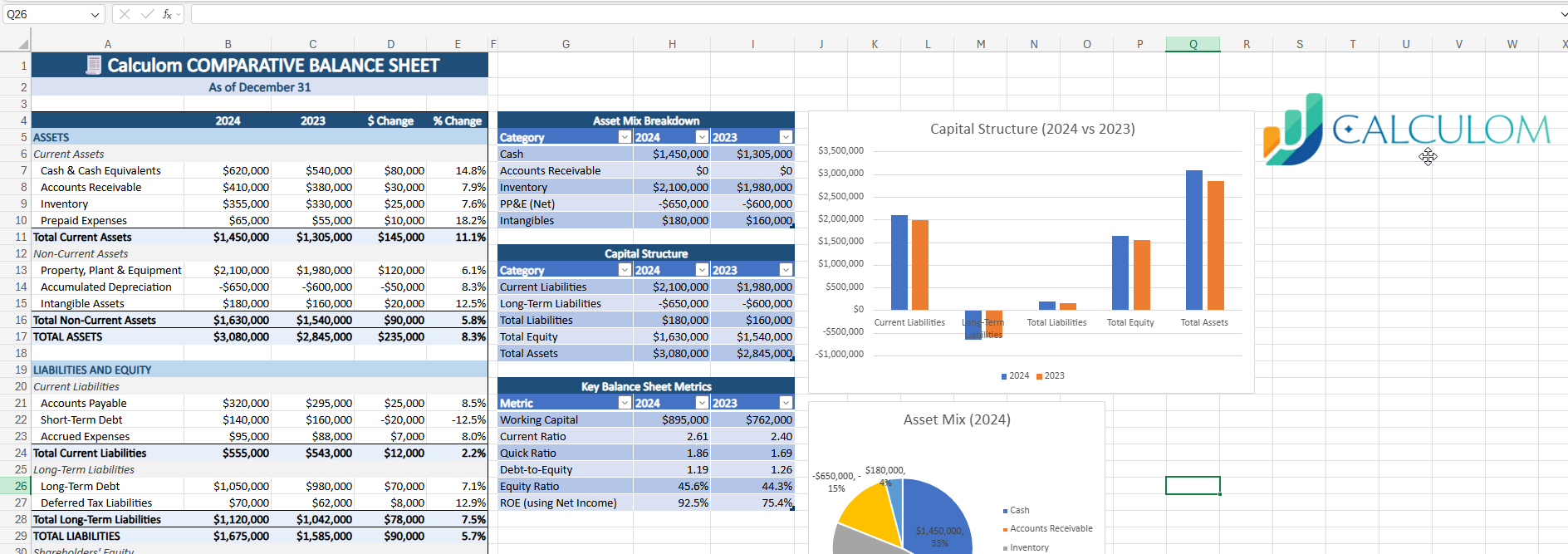
Close faster across every entity
Consolidate multi-entity financials, manage intercompany eliminations, and track your close process — all without toggling between systems or reconciling spreadsheet versions.
Connects to the ERP systems your team already runs




Everything your finance team needs — nothing it doesn't
Built for CFOs, Controllers, and FP&A teams who need real reporting infrastructure without the complexity and cost of legacy platforms.
Live ERP Data
Connect to your ERP and pull current financial data directly into your spreadsheet. No exports, no middleware, no waiting.
One-Click Refresh
Build your reports once, then refresh with a single click each period. Formatting, formulas, and layouts stay intact.
Excel & Google Sheets
Design reports in the tools your team already knows — full formula and formatting control.
Multi-Company Consolidation
Pull data from multiple ERP instances and entities. Consolidate and eliminate intercompany transactions.
Budget vs. Actual
Build budgets in your spreadsheet, compare against live actuals, and run variance analysis.
AI Financial Assistant
Ask questions in plain language and get answers from your live data. Your own API key, your control.
Period Comparisons
Compare any period to any period — MoM, YoY, trailing 12 months — with automatic variance calculations.
Financial + Operational KPIs
Combine financial data with operational metrics to build the KPIs leadership actually cares about.
Pre-Built Templates
Start with professional P&L, balance sheet, cash flow, and budget templates. Customize to match your needs.
Easy Report Distribution
Share as PDF, Excel, or Sheets. Schedule report packs. No proprietary formats or special viewers.
See how each capability works in detail — with examples, workflows, and use cases.
Seamless Odoo ERP Integration
Calculom Financial Reporting seamlessly integrates with Odoo ERP, offering users a powerful tool to enhance their financial and operational reporting capabilities. This integration allows for real-time data synchronization, ensuring that your reports are always up-to-date and accurate. By leveraging the familiar interfaces of Excel and Google Sheets, users can effortlessly access and analyze their Odoo data, leading to more informed decision-making and streamlined business processes.
Enhanced Reporting Capabilities
With Calculom, users can transform complex data into actionable insights. The add-in simplifies the reporting process, enabling users to create customized reports that meet their specific business needs. Whether it's financial statements, operational metrics, or performance dashboards, Calculom provides the tools necessary to visualize and interpret data effectively.
User-Friendly Experience
Designed with the end-user in mind, Calculom offers an intuitive interface that requires minimal training. The integration with Odoo ERP is straightforward, allowing users to quickly set up and start generating reports without technical expertise. This ease of use empowers teams to focus on analysis rather than data management.