
How to Automate Your Monthly Board Package Using Odoo + Excel

It's 9 PM the night before your board meeting. You're staring at a half-finished PowerPoint deck, three Odoo export files, and a spreadsheet with formulas that broke sometime around 6 PM. The data you pulled this morning is already stale. Your spouse texted asking when you'll be home. And somewhere in the back of your mind, you're wondering if the cash flow numbers on slide 7 actually tie to the balance sheet.
If this sounds familiar, you're not alone. CFOs and Controllers across every industry spend 15 to 25 hours every month building board packages, and most of that time goes to manual data wrangling rather than strategic analysis. The irony? Boards don't care how hard you worked on the formatting. They care about the insights you bring to the meeting.
This guide will show you exactly how to build a board package that refreshes itself with one click, cutting your prep time from 15+ hours to under 3 hours. You'll have more time for the strategic commentary that actually matters, and you'll walk into every board meeting confident that your numbers are current and accurate.
What You'll Learn
- The Board Package Problem (And Why It's Costing You More Than Time)
- What Boards Actually Want to See
- Why the Manual Approach Doesn't Scale
- The Automated Approach: What's Actually Possible
- Step-by-Step: Building Your Automated Board Package
- What Your Automated Package Should Include
- Real Examples: Before and After
- Advanced Tips for Power Users
- Common Mistakes and How to Avoid Them
- The Monthly Workflow Once Automated
- Your Action Plan: Next 30 Days
The Board Package Problem
Every CFO knows the feeling. The close process wraps up, and instead of celebrating another month in the books, you immediately pivot to the next mountain: the board package. What follows is a predictable but exhausting scramble that consumes the better part of a week.
You start by exporting data from Odoo, and if you're running multiple entities, that means multiple exports, multiple consolidations, and multiple opportunities for something to go wrong. Then comes the copy-paste marathon: moving numbers into Excel templates, rebuilding pivot tables, and watching in frustration as carefully constructed formulas break because someone added a row last month.
Once the data is somewhat corralled, the formatting begins. Tables need borders. Negative numbers need parentheses. Charts need updating. Everything needs to look professional because the board will absolutely notice if your slide deck looks like it was assembled at midnight (even though it probably was).
Then there's the variance analysis, which is actually the valuable part of the job but gets compressed into whatever time remains after the data wrangling is done. You write explanations for why revenue was up and why that expense line came in over budget. You prepare answers for questions you hope the board will ask and dread the questions you haven't anticipated.
Finally, everything gets transferred to PowerPoint, formatted again, exported to PDF, and distributed. Somewhere around hour 18, you realize you should probably check that the numbers on page 3 still match the numbers on page 7.

The Real Cost of Manual Board Packages
At a loaded cost of $150/hour for senior finance talent, spending 20 hours monthly on board packages represents $36,000 in annual labor cost for a task that adds minimal strategic value. According to CFO Dive, finance leaders consistently rank reporting automation as a top priority for exactly this reason. That's before counting the opportunity cost of what that CFO or Controller could accomplish with an extra 240 hours per year.
The painful reality is that boards don't give you extra credit for the hours you invested. They evaluate you on the quality of your analysis, your ability to anticipate their questions, and whether the numbers tell a coherent story. All the things you don't have time for when you're debugging Excel formulas at 10 PM.
What Boards Actually Want to See
Before diving into automation, it's worth stepping back to consider what your board actually needs from you. Understanding this will help you design a package that delivers real value rather than just data volume.
Financial Performance
The core of any board package is the financial picture. Your board expects to see a P&L comparing actuals to budget and prior year, a balance sheet highlighting key metrics and trends, a cash flow statement showing sources and uses, and KPIs specific to your business model. They want to understand not just what happened, but how it compares to expectations and where the trajectory is heading.
Operational Metrics
Numbers without context are just numbers. Boards want to see revenue broken down by product, channel, or region. For SaaS companies, that means tracking metrics like Annual Recurring Revenue (ARR), churn, CAC, and LTV. For manufacturing, it might be production efficiency and inventory turns. For retail, same-store sales and customer acquisition costs. Whatever drives your business, your board needs visibility into those operational levers.
Strategic Context
This is where you earn your seat at the table. Boards want clear explanations for material variances, your interpretation of trends and what they mean for the business, and a candid assessment of risks and opportunities on the horizon. This strategic commentary is what transforms a data dump into a decision-making tool. As Harvard Business Review notes, the most effective board presentations focus on insight and forward-looking analysis rather than backward-looking data recitation.
Format Preferences
Most boards prefer a consistent structure they can navigate quickly: an executive summary on the first page with key metrics and highlights, detailed financials spanning three to five pages, supporting schedules as needed, and a format that remains consistent month-to-month so they can focus on changes rather than reorienting themselves each meeting.
The Insight That Changes Everything
Your board doesn't actually want more data. They want faster access to the same data, plus more time from you explaining what it means. Automation isn't about doing less work—it's about shifting your work from data assembly to data interpretation.
Why the Manual Approach Doesn't Scale
Let's be honest about what the traditional board package workflow actually looks like. Understanding exactly where your time goes is the first step toward reclaiming it.
The Traditional Workflow
It starts with data extraction: logging into Odoo, navigating to the reports you need, configuring filters for the right period and entities, exporting to CSV, and repeating for every report type you need. Then comes the copy-paste phase: opening your Excel template, importing the new data, watching formulas recalculate (or break), manually adjusting for accounts that changed or new entries that appeared in unexpected places.
Next is formatting and quality checking: applying consistent number formats, adjusting column widths, fixing borders that shifted, color-coding variances, and double-checking that totals still total. This is followed by variance analysis: calculating differences from budget and prior year, identifying which variances are material, writing explanations for the ones that will draw questions.
Then comes slide creation: rebuilding charts with new data, copying tables into PowerPoint, formatting everything again because PowerPoint has its own ideas about how things should look. Finally, there's the review cycle: reviewing with the CEO, incorporating feedback, making last-minute adjustments, and exporting to PDF for distribution.
Where Your Time Actually Goes
- Data extraction and import: 3-4 hours
- Formatting and quality checks: 4-6 hours
- Variance analysis and commentary: 3-4 hours
- Slide creation and formatting: 4-6 hours
- Final review and adjustments: 2-3 hours
Total: 15-25 hours every single month
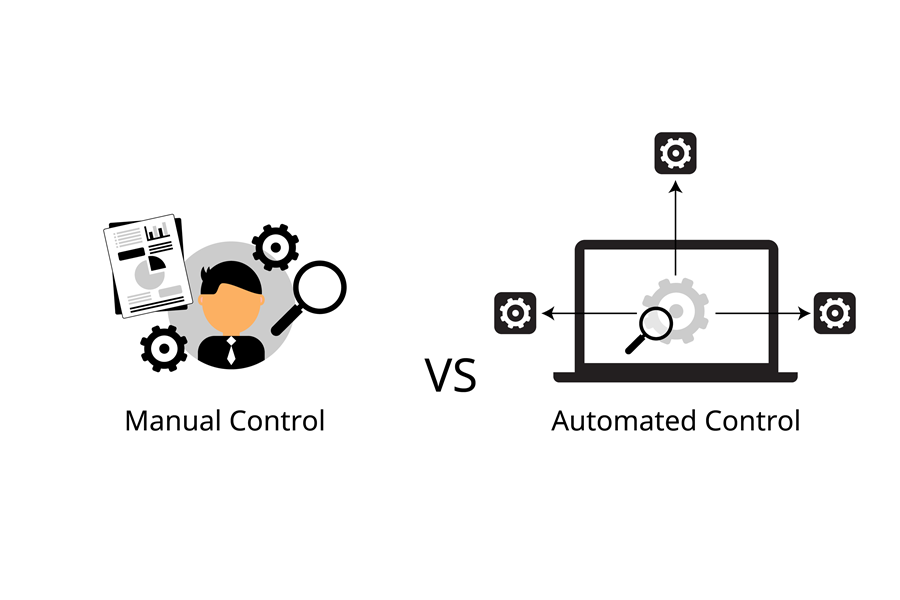
The tragedy of this breakdown is that only 3-4 hours represent genuine analytical work. The rest is mechanical data handling that a computer could do in seconds. Every month, you're essentially paying yourself $2,500+ to do a machine's job.
And here's what really hurts: when the board asks a follow-up question mid-meeting, or when they want to see the numbers cut a different way, you're stuck. The data is locked in static exports. Refreshing means starting the whole process over again.
Ready to Stop the Monthly Scramble?
Calculom connects Excel directly to Odoo, eliminating the export-import cycle that's eating 15+ hours of your month. See how it works with a free trial.
No credit card required • Full access • Cancel anytime
The Automated Approach: What's Actually Possible
Now imagine a different workflow. You open your board package workbook on day one after close. You click a refresh button. Thirty seconds later, every number in your package reflects the current state of Odoo. The P&L is updated. The balance sheet ties. The variance calculations have already run. The charts have rebuilt themselves with fresh data.
Your job for the next two hours is what it should have been all along: reviewing the numbers, identifying the stories they tell, and writing commentary that helps your board understand what happened and what it means. You spend 30 minutes reviewing with the CEO, make a few adjustments to your explanations, and export to PDF. You distribute the package and close your laptop.
Total time invested: 2-3 hours. Quality of output: dramatically higher because your mental energy went to analysis instead of data assembly.
The Automated Workflow
- Click refresh in Excel: 30 seconds
- Review updated numbers: 30 minutes
- Write variance commentary: 1-2 hours
- Review with leadership: 30 minutes
- Export and distribute: 5 minutes
Total: 2-3 hours—an 85% reduction
The key difference isn't just time savings. It's that your data is always current. When the board asks about this morning's cash position, you can refresh and answer. When they want to see revenue by a different dimension, you can pull it in real-time. You're no longer defending stale snapshots; you're providing a live window into the business.
The Real Win
The board package builds itself. You add the story. That's the division of labor that makes sense—machines handling data movement while humans provide interpretation and judgment.

Step-by-Step: Building Your Automated Board Package
Building an automated board package is a project, but it's a manageable one. Plan on investing 4-6 weeks of part-time effort to build something that will save you 12-17 hours every month thereafter. Here's exactly how to do it.
Phase 1: Planning and Design
Week 1 — Laying the foundation for everything that follows
Step 1: Audit Your Current Package
Pull up your board packages from the last six months. What appears in every single package? What shows up occasionally based on ad-hoc requests? Which slides consistently take the longest to build? Talk to your board chair or lead investor if you can—ask what they find most valuable and what they'd like to see more or less of. Your deliverable from this step is a comprehensive list of required reports and slides, prioritized by importance.
Step 2: Design Your Template Structure
Create an Excel workbook structure that will house your entire board package. A proven structure includes separate tabs for Executive Summary, P&L Detail, Balance Sheet, Cash Flow, KPIs and Metrics, Budget Variance, Supporting Schedules, and a hidden Data tab that will hold the raw Odoo data feeds. Design your layouts with two audiences in mind: people viewing on screen and people viewing exported PDFs. Both need to work well.
Step 3: Define Your Data Requirements
Map exactly what data you'll need to pull from Odoo to populate your package. This typically includes general ledger data by account, month, and entity; budget data by account and period; prior year actuals for comparison; and any operational metrics tracked in Odoo. Document how different data sources relate to each other, especially if you need to handle intercompany eliminations or manual adjustments.
Pro Tip: Start Simple
Don't try to automate everything at once. Build your P&L first. Get that working perfectly, then add the balance sheet. Then cash flow. This iterative approach means you'll have a partially automated package working within two weeks, even if the full package takes longer.
Phase 2: Data Connection
Week 2 — Establishing the live link to Odoo
Step 4: Set Up Live Data Connections
This is where the magic happens. Connect Excel directly to Odoo using a tool like Calculom that provides live data access without manual exports. Pull your core financial data: general ledger transactions by account, month, and entity; budget figures by account and period; and prior year comparables. Once connected, test thoroughly. Every number should match what you see in Odoo's native reports. Don't proceed until you've validated accuracy completely.
Step 5: Build Your Data Transformation Layer
Raw Odoo data rarely maps directly to board package line items. You need a transformation layer—typically a combination of pivot tables and structured references—that maps detailed Odoo accounts to the summary lines your board expects. For example, you might have 50 expense accounts in Odoo that need to roll up into 12 lines on your board P&L. This step builds that mapping logic so it runs automatically on every refresh.
Step 6: Add Calculations and Formulas
With your data flowing and mapped, add the calculations that create analytical value: budget variances in both dollars and percentages, prior year comparisons showing growth rates, key ratios like gross margin and EBITDA percentage, and trend calculations for rolling averages. Use named ranges in Excel liberally—they make formulas readable and maintainable. A formula like =Revenue-COGS is far clearer than =B15-B27.
Phase 3: Formatting and Visualization
Week 3 — Making the data tell a story
Step 7: Format for Executive Readability
Your board members are busy. Your formatting should make information accessible at a glance. Apply consistent fonts that are clean and readable. Use color coding strategically—red for unfavorable variances, green for favorable, but sparingly so the colors carry meaning. Apply proper number formatting with thousands separators, appropriate decimal places, and parentheses for negatives. Design your executive summary page to show the five or six most critical metrics prominently at the top.
Step 8: Add Charts and Visualizations
Strategic charts help boards see patterns that tables obscure. Consider a 12-month revenue trend chart showing trajectory, a waterfall chart showing how you got from budget to actual, a cash flow bridge visualizing sources and uses, and a simple KPI dashboard with the metrics that matter most. Remember that less is more here. Boards want clarity, not complexity. Every chart should answer a specific question.
Step 9: Build Commentary Sections
Create text boxes or designated cells where you'll add monthly commentary. Structure these sections so they're easy to update: variance explanations for material items, forward-looking statements about expected trends, and risk and opportunity highlights. This is the part that stays manual, and intentionally so. Your human judgment is what transforms data into insight.
Remember
The data is automatic. The insights are manual. That's exactly right. You want to spend your time on interpretation, not data assembly.
Phase 4: Testing and Refinement
Week 4 — Ensuring accuracy and reliability
Step 10: Run Parallel Packages
Before trusting your automated package, validate it against reality. Generate the automated package for the most recent closed month. Compare it side-by-side with the manual package you created for the same period. Every number should match. Every calculation should tie. Check the PDF export to ensure formatting survives the conversion. Get feedback from at least one other person who understands the content.
Step 11: Optimize the Refresh Process
Test your one-click refresh thoroughly. Time how long the refresh takes—it should complete in under 60 seconds for most packages. Document any manual steps that remain (there will likely be a few). Create a simple checklist for the monthly process that anyone can follow.
Step 12: Train a Backup
You shouldn't be the only person who knows how to run the board package. Train your Controller, FP&A Manager, or a senior accountant on the refresh process. Document where commentary gets added and how the export works. This isn't just about vacation coverage—it's about organizational resilience. And frankly, if you're the only one who can produce the board package, you're never really free from it.
Critical Step
Don't skip documentation. Six months from now, you won't remember why you built that particular formula or where a specific data feed comes from. Future-you will thank present-you for the documentation.
Phase 5: Go Live
Month 1 — Your first automated board package
Step 13: First Automated Board Package
The moment of truth. Refresh your data for the current month. Add your variance commentary. Review with your CEO or executive team before the board meeting. Export to PDF and distribute. Then take note of how much time you spent compared to your old process. Celebrate appropriately—you've just fundamentally changed how you work.
Ready to Build Your Automated Board Package?
Calculom makes the data connection simple. Connect to Odoo in minutes, not weeks, and start building your automated package today.
No credit card required • Full access • Cancel anytime
What Your Automated Package Should Include
Once automated, your board package should deliver comprehensive information in a format that's easy to navigate and quick to absorb. Here's what a complete package looks like.
Page 1: Executive Summary
The first page should contain the four to six metrics that matter most to your business, displayed prominently. Include variance highlights showing the top three favorable and top three unfavorable items. Provide a month, quarter, and year-to-date performance summary in a compact format. Close with a brief forward-looking statement about expected trajectory or upcoming events.
Pages 2-3: Financial Statements
Your P&L should show actuals, budget, variance, prior year, and year-over-year growth. The balance sheet presents current period alongside prior period with changes highlighted. Cash flow breaks down into operating, investing, and financing activities with clear sources and uses.
Page 4: Budget Variance Deep Dive
This page provides line-by-line variance analysis for readers who want detail. Include explanations for any variance exceeding 10% or a dollar threshold you define. Show year-to-date performance against budget to provide context beyond just the current month.
Page 5: Key Metrics and KPIs
Include business-specific metrics that drive your model. Add trend charts showing six to twelve months of history so patterns are visible. Include targets or benchmarks where relevant so performance has context.
Supporting Schedules
Include additional detail as needed: revenue by segment if you operate multiple lines of business, headcount and compensation detail, capital expenditure tracking against plan, and debt schedules if relevant. Not every package needs all of these, but having them available in a consistent format means you can include them when questions arise.
Real Examples: Before and After
Theory is useful, but real examples are better. Here's how three different finance leaders transformed their board package process.
Example 1: SaaS Company CFO
The Challenge: This CFO at a 50-person SaaS company was spending 20 hours monthly building the board package. Six hours went to extracting data from Odoo and their various SaaS tools. Eight hours went to building and formatting slides in PowerPoint. Four hours were spent reviewing with the CEO. Two hours covered final formatting and distribution.
The Solution: They built an automated Excel workbook connected directly to Odoo, with additional connections to their subscription management platform for ARR and churn data. The entire package refreshes in under a minute.
The Results:
- Before: 20 hours monthly
- After: 2.5 hours monthly
- Time saved: 17.5 hours per month
- Dollar savings: $2,625/month at $150/hour, or $31,500 annually
Bonus: When the board asks for updated numbers mid-meeting, they can refresh live. That responsiveness has changed the dynamic of their board conversations entirely.
Example 2: Manufacturing Controller (PE-Backed)
The Challenge: This Controller managed board packages for a PE-backed manufacturing company with three operating divisions. Multi-entity consolidation, intercompany eliminations, and PE-specific KPIs made each package an 18-hour undertaking. The PE firm had specific requirements for how they wanted to see data presented, adding complexity on top of the consolidation work.
The Solution: They built an automated consolidation in Excel with live connections to each division's Odoo instance. Elimination entries are now formula-driven rather than manual. A dedicated KPI dashboard addresses the PE firm's specific requirements.
The Results:
- Before: 18 hours monthly
- After: 3 hours monthly
- Time saved: 15 hours per month, or 180 hours annually
- Dollar savings: At their blended rate, over $22,000 annually
Bonus: The PE firm now has access to a live dashboard they can check between board meetings. This has actually reduced the frequency of ad-hoc information requests because investors can self-serve on basic questions.
Example 3: Retail CFO with Board and Investors
The Challenge: This retail CFO had two audiences: a board of directors and a separate group of investors, each wanting slightly different information in different formats. Building two packages manually consumed 25 hours monthly: 15 hours for the board package and another 10 for the investor version.
The Solution: They built one comprehensive data model in Excel, connected to Odoo, with different export views for each audience. The core data is identical, but formatting and emphasis differ based on the recipient. One refresh updates both packages.
The Results:
- Before: 25 hours monthly for two packages
- After: 4 hours monthly for both packages
- Time saved: 21 hours per month, or 252 hours annually
- Dollar savings: Over $37,000 annually
Bonus: Because both packages draw from identical data, there's zero risk of showing investors one set of numbers and the board another. That consistency has eliminated a category of potential problems entirely.
Advanced Tips for Power Users
Once you have your basic automated package working, consider these enhancements to take it further.
Add Scenario Planning
Build toggles into your package that show different scenarios—best case, base case, and worst case projections. Update your assumptions, and the package recalculates instantly. This lets you walk the board through multiple potential futures without rebuilding anything.
Create Rolling Forecasts
Link your budget data to show the next 12 months on a rolling basis. As each month closes, the view automatically advances. Your board always sees a forward-looking perspective, not just historical results.
Maintain Commentary History
Keep a tab with prior months' variance commentary. This creates a searchable archive that helps you identify recurring themes and gives new board members context for understanding how the business has evolved.
Build Investor-Specific Views
If you have multiple investors with different information preferences, create separate export views from the same underlying data. One refresh generates packages customized for each audience.
Integrate Non-Financial Data
If you have systems beyond Odoo—CRM for pipeline data, HR systems for headcount, operational systems for production metrics—consider connecting those as well. A truly comprehensive board package tells the complete business story, not just the financial chapter.
Common Mistakes and How to Avoid Them
Building your first automated board package involves a learning curve. Here are the mistakes we see most often and how to avoid them.
Mistake #1: Over-Designing on the First Pass
What happens: You spend 80 hours trying to build the perfect package with every feature imaginable. The project stalls because scope keeps expanding.
The solution: Start with your P&L only. Get that working perfectly, then add the balance sheet next month, then cash flow the month after. An incremental approach delivers value quickly and maintains momentum.
Mistake #2: Not Getting Board Buy-In First
What happens: You invest weeks building a beautifully automated package, only to have the board chair say they'd prefer something different.
The solution: Show your board chair or lead director a mockup before you build. Get explicit approval on structure and content. Five minutes of alignment upfront saves hours of rework later.
Mistake #3: Making It Too Complex
What happens: The package becomes so detailed and sophisticated that board members can't find the information they actually need.
The solution: Simplicity beats sophistication every time. If a board member can't understand your package in under 10 minutes, it's too complex. Clarity wins.
Mistake #4: Forgetting About PDF Export
What happens: The package looks great in Excel but renders poorly when exported to PDF for distribution.
The solution: Design with print layout in mind from the start. Check your page breaks. Verify that everything fits on standard page sizes. Test the PDF export every time you make formatting changes.
Mistake #5: Not Documenting the Process
What happens: Six months later, you've forgotten how certain calculations work or why you set something up a particular way.
The solution: Document as you build. A simple text file explaining your data sources, key formulas, and refresh process will save hours of future confusion. Future-you will be grateful.
The Monthly Workflow Once Automated
Once your automated package is running, here's what your monthly process looks like. This is the reality you're working toward.
Day 1 Post-Close (20 minutes)
Open your board package workbook. Click the refresh button. Verify that data loaded correctly by checking a few key totals against Odoo. Do a quick sanity check on the numbers—do they feel directionally right? If anything looks off, investigate before proceeding.
Days 2-3 (1-2 hours)
Review variances systematically. Write commentary for material items—what happened, why it matters, what you expect going forward. Update your forward-looking statements based on what you're seeing in the business. Note any risks or opportunities worth highlighting.
Day 4 (30 minutes)
Review the draft package with your CEO or leadership team. Incorporate their feedback and perspective. Make any adjustments to commentary or emphasis based on their input.
Day 5 (15 minutes)
Final review for typos and formatting. Export to PDF. Distribute to your board. You're done.
Total ongoing commitment: 2-3 hours versus 15-20 hours. The difference isn't just time—it's the quality of attention you can bring to the strategic work that actually matters.
Calculate Your Personal ROI
Your Action Plan: Next 30 Days
Ready to start? Here's exactly what to do over the next four weeks.
Week 1: Plan and Design
- Audit your last six months of board packages
- List every report and slide that's consistently included
- Identify which elements consume the most time
- Design your workbook structure with tabs for each major section
- Talk to your board chair about preferences if possible
Week 2: Connect and Build
- Set up your Odoo data connection
- Pull P&L data only to start simple
- Build your basic P&L template with actuals, budget, and variance
- Test accuracy against Odoo native reports
- Don't proceed until numbers match exactly
Week 3: Format and Visualize
- Apply professional formatting to your P&L
- Add charts for revenue trend and key variances
- Build your executive summary page
- Test PDF export and adjust page breaks
- Get feedback from a colleague on readability
Week 4: Validate and Launch
- Run a parallel package comparing automated to manual
- Verify every number matches
- Document your refresh process
- Train at least one backup person
- Prepare for your first live automated package
By the end of month two, you'll have used your automated package for a real board meeting, measured your actual time savings, and started adding additional sections. The hardest part is getting started. Everything after that is incremental improvement.
Key Takeaways
- The manual approach costs you 15-25 hours monthly—time that could go to strategic analysis and preparation for board questions
- Automation reduces board package prep to 2-3 hours, with most of that time devoted to writing commentary and insights
- Start simple with your P&L only, then add complexity incrementally each month
- Design with your audience in mind—boards want clarity and insight, not data volume
- Document everything and train a backup so you're never the single point of failure
Imagine Your Next Board Meeting
You walk in rested and prepared. Your numbers are current as of this morning. You've spent your time on strategic insights, not data wrangling. When the board asks a follow-up question, you can answer it in real-time. That's the reality Calculom makes possible.
No credit card required • Full access • Cancel anytime